
Natural Language Search Explained: How Semantic Search and NLP Actually Work (2026)
Natural language search lets people find information by asking a question in everyday words instead of guessing keywords. It uses natural language processing (NLP) to interpret intent and semantic search to match meaning rather than exact terms, so a query like “how do I expense a client dinner” returns the right policy even when the document never uses those words.
What is natural language search?
Natural language search is a search approach that understands the meaning of a full question, not just the individual words in it. It reads intent, context, and phrasing the way a person would, then returns results ranked by relevance to what the user actually meant.
The contrast with older search is simple. Keyword-only search matches strings: if your query does not contain the same words as the document, it fails the moment a user phrases the query differently. Natural language searching removes that constraint by comparing meaning, which is why a natural language search engine can answer a question that shares no exact words with the source text. In enterprise settings this matters because employees and customers almost never phrase a question the way a policy, ticket, or manual was written.
How does natural language search work versus keyword search?
Natural language search works by converting both the query and your documents into numerical representations of meaning, then matching them by similarity instead of by exact words. Keyword search, by comparison, matches literal terms and ranks by frequency and metadata.
Three things happen under the hood. First, NLP interprets the query: it identifies intent, entities, and context. Second, vector search represents text as embeddings and finds passages that are semantically close, even with different vocabulary. Third, a ranking layer orders the candidates and, in modern systems, an LLM composes a grounded answer from the retrieved sources. Keyword search skips the meaning step entirely, which is fast and precise for exact matches (part numbers, error codes) but brittle for real questions. The practical takeaway: the two are complementary, and the strongest enterprise systems combine keyword precision with semantic recall.
What role does NLP play, and where do RAG and vector search fit?
NLP is the query-understanding layer: it turns a messy human question into structured intent that the rest of the system can act on. Vector search is the retrieval layer that finds semantically relevant content, and RAG is the layer that grounds an AI answer in that retrieved content.
Here is how the pieces stack in a 2026 enterprise system. Enterprise search now combines RAG (retrieval-augmented generation on company data), vector search for semantic similarity, and NLP for query interpretation (Instaclustr, 2026). Vector search retrieves the right passages; RAG feeds those passages to a language model so the answer is generated from your data, not from the model’s memory. This is the difference between a chatbot that guesses and one that cites. In our own AI-search and RAG work we see the same pattern: retrieval quality, not model size, is what decides whether users trust the answer.
Keyword vs semantic vs RAG: which search approach fits?
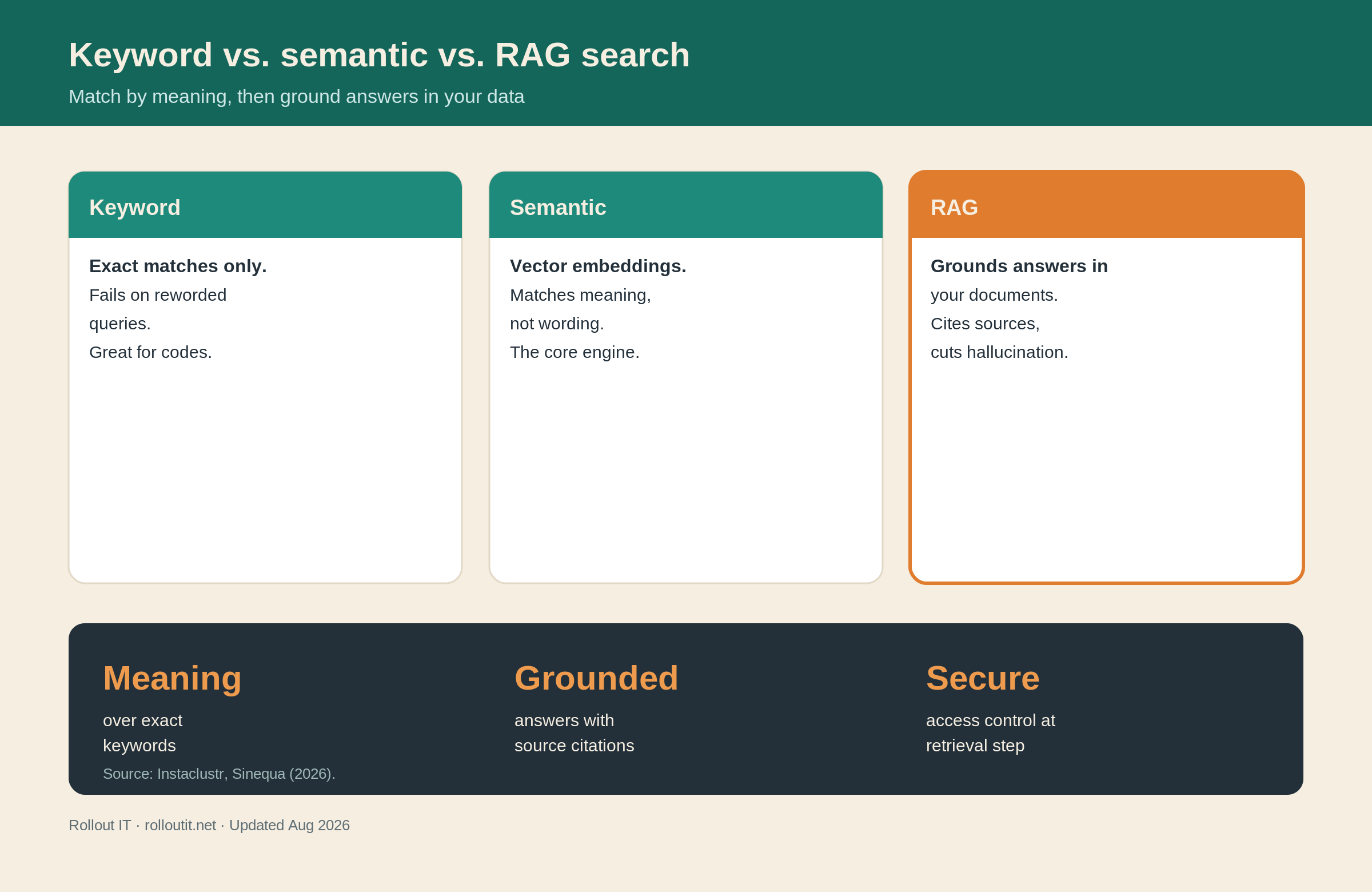
Keyword search fits exact-match lookups, semantic (vector) search fits meaning-based questions, and RAG fits cases where you need a written, source-cited answer rather than a list of links. Most enterprise deployments end up using more than one. The table below is our practitioner view of where each approach earns its place.
| Dimension | Keyword search | Semantic / vector search | RAG (retrieval-augmented generation) |
|---|---|---|---|
| What it matches | Exact words and strings | Meaning and intent (embeddings) | Meaning, then generates an answer |
| Best for | Part numbers, codes, names, filters | Natural questions, synonyms, paraphrase | “Give me the answer, with sources” |
| Handles reworded queries | Poorly | Well | Well |
| Output | Ranked list of documents | Ranked list of relevant passages | Written answer with citations |
| Main risk | Misses anything phrased differently | Can retrieve near-but-wrong passages | Hallucination if retrieval or access control is weak |
| Infrastructure | Inverted index | Vector database + embeddings | Vector search + LLM + access/security layer |
| Typical role | Precision filter | Recall engine | Answer engine on top of retrieval |
The pragmatic pattern we recommend: use keyword search for precision, vector search for recall, and RAG only when a grounded, cited answer adds real value. Bolting an LLM onto weak retrieval just produces confident nonsense faster.
What are the enterprise use cases for natural language search?
The highest-value use cases are internal knowledge access, customer self-service, and agent assist, where employees or customers ask a question in plain language and get a grounded answer. These are exactly the workflows that keyword search handles badly, because real users never phrase questions the way documents are written.
Common deployments include employee knowledge search across wikis, tickets, and policies; customer support assistants that answer from product documentation; sales and RevOps search across CRM notes and proposals; and compliance or legal retrieval where source tracing is mandatory. NLP combined with agents is currently the fastest-growing enterprise NLP application (Sinequa), because an agent can not only answer a question but also take the next step, such as opening a ticket or drafting a reply. Grounding those answers in a domain-specific model is the subject of our guide to vertical LLMs.
How do you build (or buy) natural language search in 2026?
You build natural language search by assembling four layers: query understanding (NLP), a vector database for semantic retrieval, a RAG layer that grounds answers in your data, and a security layer that enforces who can see what. Buy a platform when your needs are generic; build or customize when your data, workflows, or compliance requirements are specific.
A practical decision guide from our delivery experience:
1. Start with the question, not the model. Define the top questions users actually ask and the sources that answer them. 2. Get retrieval right first. Clean, chunk, and embed your content; measure retrieval quality before adding generation. 3. Add RAG for answers that need citations. Ground every generated answer in retrieved, permission-checked sources. 4. Enforce access control at retrieval time, not after generation, so the model can never read what the user cannot. 5. Instrument everything. Log queries, retrieved sources, and confidence so you can improve continuously.
Buy-versus-build usually comes down to data and control. Off-the-shelf tools are fast for common cases; bespoke custom development wins when the search has to sit inside your product, your security model, or a regulated workflow.
What about accuracy, security, and access control?
Accuracy and security are the same problem in enterprise search: without a retrieval layer that enforces security, access controls, and source tracing, LLMs will hallucinate or surface information the user was never authorized to see (Instaclustr, 2026). A natural language search engine is only as trustworthy as the guardrails around its retrieval step.
Three controls make the difference. Grounding: every answer is generated from retrieved documents, not model memory, so it can cite its source. Access control at retrieval time: permissions are applied before the model sees a document, so it cannot leak restricted content. Source tracing: each answer links back to the exact passage, so a human can verify it. When the evidence is insufficient, a well-built system should say so or ask for clarification rather than guess. For regulated buyers in the EU, US, Canada, and the UK, these controls are not optional extras; they are the reason the project passes security review.
How Rollout IT builds NLP-powered search (first-hand)
Rollout IT builds natural language search as grounded, permission-aware RAG systems, not as a chatbot bolted onto a document dump. Across our AI Development practice we combine NLP query understanding, vector retrieval, and RAG so answers stay accurate, cited, and access-controlled.
With 10+ years, 50+ delivered projects, and 30+ engineers across the EU (Hungary) and the US, our approach is deliberately human-first: we start from the questions your users ask, engineer retrieval quality first, and only then add generation. Every answer is checked against a verified knowledge base and returned with source references, so the assistant declines or asks for clarification when the facts are not there. Access control lives at the retrieval layer, which is what lets these systems survive enterprise security review. If you are weighing keyword, semantic, and RAG approaches for your own search, that decision table above is the same one we use to scope a build, and it is where our custom AI development work starts.
Frequently asked questions
What is natural language search in simple terms?
It is search that lets you ask a question in everyday words and get results matched by meaning rather than exact keywords. NLP interprets your intent and semantic search finds relevant content even when the wording differs from the source.
What is the difference between natural language search and semantic search?
Natural language search is the overall experience of asking in plain language; semantic search is the underlying technique that matches meaning using vector embeddings. In practice, semantic (vector) search is the engine that makes natural language search work.
How does RAG improve enterprise search?
RAG grounds an AI-generated answer in your own retrieved documents, so the response is based on company data and can cite its sources. Without this retrieval layer, an LLM tends to hallucinate or surface unauthorized information.
Is natural language search secure for enterprise data?
It can be, if access control is enforced at the retrieval step rather than after generation. That way the model can only read documents the user is authorized to see, and every answer can be traced back to its source.
Do we still need keyword search if we have semantic search?
Usually yes. Keyword search stays precise for exact matches like part numbers and codes, while semantic search handles reworded, meaning-based questions. The strongest enterprise systems combine both.